REVIEW: Add a watermark to your videos with Watermark Factory!

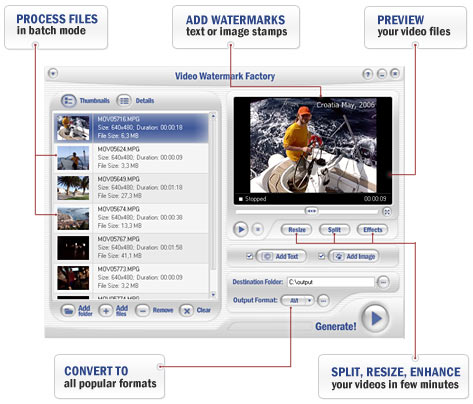
Video Watermark Factory - a full-featured yet easy-to-use software that allows placing a digital watermark or logo or text over an existing video in the batch mode. Watermarks can be used for protection or adding comments to your movies. You may impose watermark on a whole video file or on a specified section of the movie. Brand Your Video With A Watermark!
This cool tool is just what we needed! It is easily the fastest way to add a watermark to protect your videos. Not only can you add a watermark, but you can split, resize, enhance and convert to a number of formats. From their website:
"Video Watermark Factory is an all-in-one video editing and protection package that allows you to brand your videos with a semi-transparent logo overlay or a digital watermark. You don't have to be a pro in order to enhance your video. Adding a digital watermark is as simple as selecting a video file and an image that you want to appear on top of your movie, and Video Watermark Factory will do the rest. Of course, you can also select the transparency level and position your watermark in the right place in your video." You can add a watermark or brand to all or part of the video, add text or an image, and even do some simple editing. Not only that, but Video Watermark Factory will output in a variety of video formats.
The addition of batch processing makes this MUST HAVE for any videographer. Visit their site at: http://www.videowatermarkfactory.com/
| 


 About Mr Video