Tip: Desktop FLV Players, Video Contest, Wordpress
Like this newsletter? Get your own copy for FREE!
Get this newsletter delivered to you for FREE!
AskMrVideo.com has a FREE weekly newsletter for YOU! We discuss Video, Flash, Production, Info Products, Streaming Media, Marketing, Tools, Tips and more . These weekly tips are valuable, entertaining and profitable... and they're FREE. Don't miss an issue!
Your name, and e-mail will NEVER be sold or rented to ANYONE. Click here to check out the Newsletter archives.
There have been some new and exciting changes to AskMrVideo.com! First, Santa stopped by to do a few "walk on" videos - check those out on the home page http://www.AskMrVideo.com.
Santa also told a few jokes in an HD video I posted using Blip.TV. I really love Blip.TV for a lot of reasons - but primarily for the image quality and ease of use. Check it out on last weeks tip (NOT to be missed!) http://www.askmrvideo.com/public/286.cfm
Another new addition to the site is our Video Resource Directory. This directory has recommended video gear, supplies and software with links to the manufacturer. You can rank resources and - get this - anyone (members and non-members) can add a video resource! Got a great video resource you'd like to share? Head on over to http://www.askmrvideo.com/resources/
Found Video of the Week
Every week I bring you a new video that illustrates great video, great marketing or both. Enjoy!
The Davos Question
Mr Video says "Great way to promote a cause - get involved and make your voice heard by submitting your video."
"Camtasia in Wordpress" by Perry Lawrence
Sometimes a problem has multiple solutions. When that's the case I always like to find the most elegant and/or simplest solution. Elegant in that it could be a brilliant workaround - simple in that it requires few steps.
Problem: Posting embed code for video on Wordpress blogs.
Details: If you have a Wordpress blog hosted on the Wordpress servers, you know that there are limitations to the kind of code you can place in a post. For example, you can't put javascript or embed codes - which you need to be able to do if you want to post a video or Camtasia tutorial that's hosted on Amazon S3.
Solution: VodPod is both an elegant and simple way to add video to your Wordpress blog. I am amazed at how well it works and how easy it is to install and operate. Two thumbs way way up for this Firefox plug-in.
Did you like this article?
Emailing it to a friend is easy. Just click below!
Video Gear Review
Here we go! My favorite part of every "Tip of the Week". This is where we get to look at some neat toys tools!
Desktop FLV Players
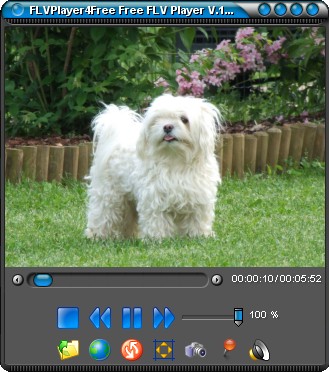
I have needed some good solutions for desktop flv players so I can easily check my avi and mov conversions to flv easily. Member Paul Mabry sent me a link to a free Windows based free FVL player called - FlvPlayer4Free. It has so many great features that it has quickly become my player of choice.
Not only can it play FLV files, it can also play AVI, DIVX, MP4, WMV and many other video file types. One of the coolest features is that you can load up a playlist and videos will play one after another. Great for batch Quality Controling multiple videos. Check it out at http://www.flvplayer4free.com
For my MAC friends, (a Windows version available) there is Wimpy Desktop FLV Player. It is simple and does the job - plays FLV files!
Do you know somebody who would find this review useful?
Email it right to them.
AskMrVideo.com Forum Highlights
Every member has complete access to the AMV discussion forum, which is constantly being accessed by members sharing information, knowledge, insight, and fun. With an active community that's growing daily, this is one heck of a valuable resource!
Here are some recent posts on the forums:
Posted Dec 14,2007 12:00 AM reelworld
I'm confused whether or not to use 'deinterlacing' when converting my videos in Flash CS3. I thought that sony vegas deinterlaced the video already.
Can someone explain to me why the flash program is only program that asks me if I want to deinterlace my video?
Thanks,
Tobey
Posted Dec 15,2007 12:23 PM Perry
Tobey, you only need to deinterlace once. Flash asks because it rightly assumes that you will be using the file for the web.
Computer monitors do not display interlaced video very well and deinterlacing gets rid of the "jaggies".
Vegas does not deinterlace by default. It assumes you will be displaying on an interlaced video monitor.
The AskMrVideo.com Website uses 128-Bit Secure Socket Layer (SSL) encryption to transmit your personal information to our secure servers. Still not sure you want to do this over the internet? Well, just give me a call at 800-531-5718.